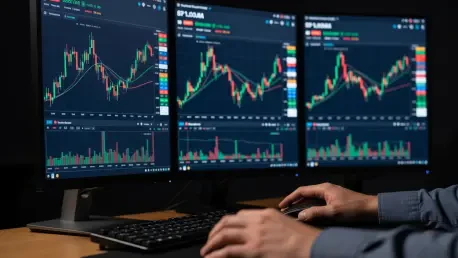

The rapidly shifting dynamics of the cryptocurrency futures market often demand that participants maintain an uncompromising level of situational awareness across multiple digital assets simultaneously to avoid missing pivotal entry points. For many years, the primary obstacle for retail and professional traders alike remained the physical limitation of the standard trading interface, which typically restricted the view to a single asset at any given moment. This fragmentation of information meant that while a trader focused on a potential breakout in Bitcoin, a simultaneous surge in an altcoin or a correlated hedge might have gone entirely unnoticed until the opportunity had already passed. In the current high-velocity environment of 2026, where algorithmic execution and instant news cycles drive volatility, the necessity for a unified visual workspace has never been more apparent. WEEX addresses this specific pain point by introducing a sophisticated Multi-Market Mode, designed to transform how individuals observe and interact with price action across diverse pairs.
1. Overview: The Strategic Necessity of Multi-Market Visibility
The primary innovation of this new trading environment is the integration of a highly customizable screen layout that facilitates the real-time tracking of several assets within a single browser window. Rather than forcing users to toggle between different browser tabs or manage multiple desktop applications, the system provides a centralized dashboard where the primary trading area is divided into a series of distinct grids. This architecture allows for a seamless transition from a standard single-asset view to more complex configurations that include two, three, four, or even six independent windows. By leveraging this multi-grid functionality, market participants can maintain a high-level overview of the entire crypto ecosystem while still retaining the ability to drill down into specific price movements. This capability is particularly useful during periods of extreme market turbulence when correlations between major assets and smaller-cap tokens tend to fluctuate rapidly, requiring a broader visual perspective than a single chart.
2. Functional Capabilities: Independent Tools and Standalone Analytics
One of the most significant advantages of this implementation is that each individual chart window within the grid operates as a completely standalone workspace, providing full autonomy over technical analysis. This means that users can apply specific trendlines, Fibonacci retracements, and detailed annotations to one asset without those markings appearing on or interfering with the other charts in the layout. Each window retains its own set of drawing tools and indicator settings, allowing for a personalized analytical approach that can be as simple or as complex as the situation requires. Furthermore, the functional depth extends to the manipulation of timeframes and asset selection, as each window allows for independent adjustments of the visible time period and zooming levels. A participant might decide to keep one window focused on the long-term trend using a four-hour interval while watching a one-minute chart in another window. If an asset becomes stagnant, the user can instantly replace it with a different cryptocurrency without disrupting the layout.
3. Interface Optimization: Streamlining for Maximum Operational Efficiency
In an effort to provide the cleanest possible environment for high-stakes decision-making, the developers have intentionally removed several traditional interface elements that could clutter the multi-market view. One notable exclusion is the presence of visual price notification alerts, which are disabled within this specific mode to prevent intrusive pop-ups from obscuring the charts during critical moments. While alerts remain functional in the background, their visual components are suppressed to ensure that focus remains entirely on the candles across all active windows. Additionally, individual windows are locked into their specific grid positions, removing the standard full-screen toggle to maintain the integrity of the overall layout. To further maximize visual real estate, instant order buttons and certain non-essential annotation controls have been hidden. This minimalist approach does not hinder the trading process but rather forces a more deliberate workflow, dedicated to conveying market information clearly without unnecessary digital noise.
4. Key User Benefits: Persistent Layouts and Workspace Consistency
A significant logistical benefit of the Multi-Market Mode is the platform’s ability to automatically save the current layout, ensuring that all pairs, timeframes, and technical drawings are preserved for future use. When a user returns for a new session, they are greeted by the exact configuration they left behind, which eliminates the tedious task of manually reconstructing complex multi-chart setups every day. This persistence is a major productivity booster, as it allows traders to jump straight into the action with their context and analysis already in place. The reliability of this saving mechanism means that the hours spent refining trendlines on various assets are never wasted. Moreover, the consistent sizing of windows within the grid ensures that the visual presentation remains organized and professional. By eliminating the need to switch between multiple browser tabs, the system also reduces the risk of tab crashes and memory leaks, providing a stable environment that leverages modern web technologies for a desktop-like experience.
5. Implementation Guide: Activating the Multi-Market Environment
To start using the split-screen view, market participants followed a series of distinct steps that streamlined their transition into this complex environment. The process began with accessing the account using secure credentials, followed by navigating to the cryptocurrency futures trading page. Once the interface loaded, users identified the Layout icon in the upper right-hand corner of the screen to reveal the customization options. From the menu, they chose their preferred grid size, selecting between two, three, four, or six independent windows. This change immediately transformed the workspace, allowing for the simultaneous tracking of diverse assets. Traders who successfully implemented these steps observed an improved ability to identify diverging trends. The shift toward integrated visual tools represented a milestone in trading infrastructure, providing the stability needed to compete. Future strategies benefited from this setup as users could monitor high-volatility breakouts alongside defensive hedges, ensuring a balanced approach to risk management.